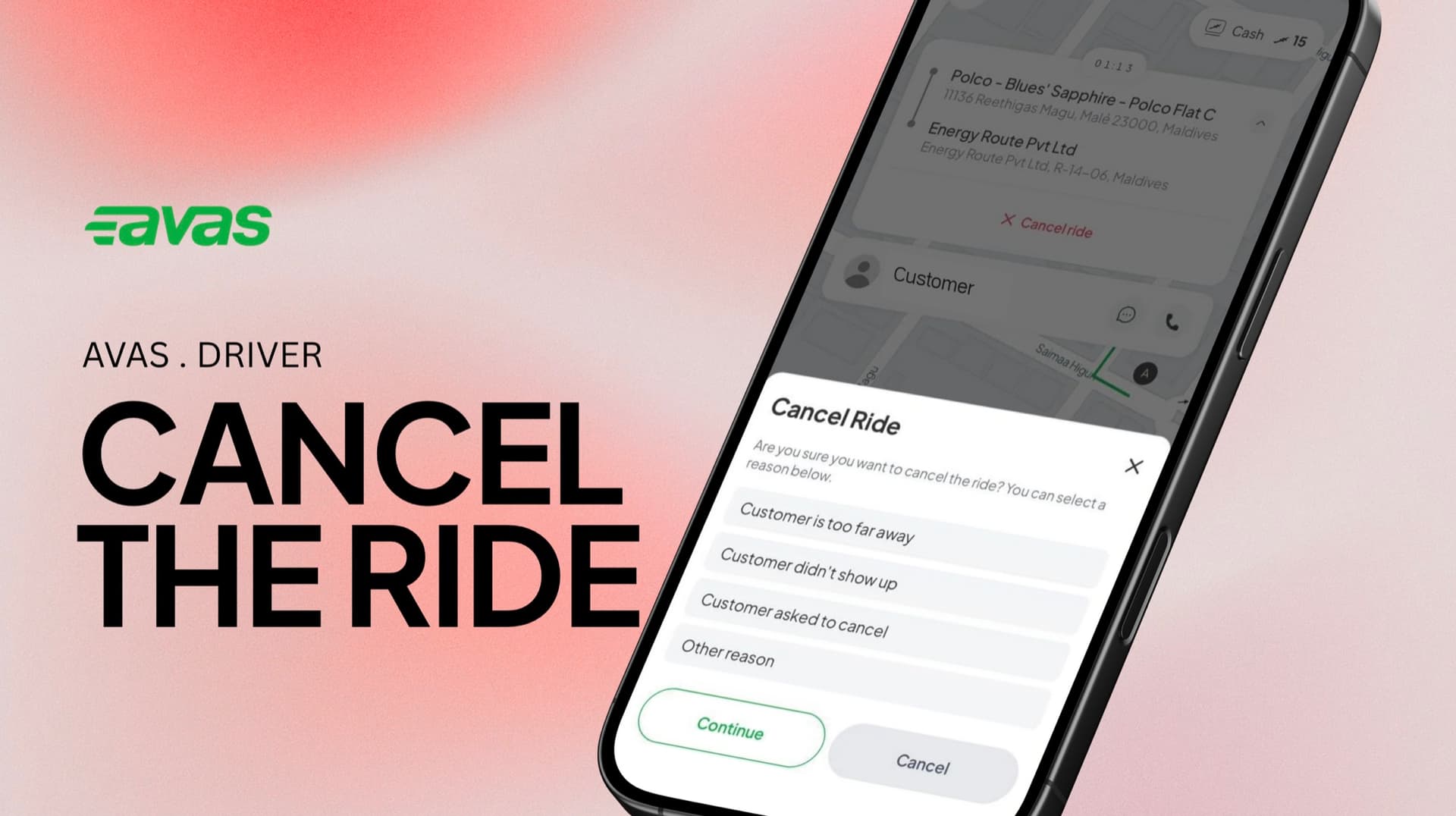

How do I cancel a ride?
Cancel a ride from the Avas Driver app after you've accepted it — and what to keep in mind so it doesn't affect your ride requests.
Cancelling a ride
You can cancel a ride after accepting it, straight from the Driver app.
- 01
Once you've accepted the ride, press the dropdown button on the location label.
- 02
Select Cancel Ride.
- 03
Choose the reason for cancellation.
- 04
Press Yes, cancel to confirm.
When it's okay to cancel
Cancelling now and then is completely normal. These are the kinds of situations where it's the right call.
You reached the pickup, contacted the rider, and waited a reasonable time — but they never appeared.
There are more passengers or more luggage than your vehicle can safely and legally carry.
You feel unsafe, or you noticed an issue with the vehicle which needs immediate attention.
Before you cancel
A quick check often saves the trip — and keeps your cancellation rate low.
- 01
Message or call the rider through the app — your number stays masked for privacy.
- 02
Double-check the pickup pin against your navigation in case it has moved.
- 03
Give it a moment — the rider may be walking out to meet you.
- 04
Don't keep the customer waiting only to cancel suddenly at the last minute without any notice.
If a rider doesn't show up
Don't just drive off — a few steps make sure the cancellation is handled fairly for both of you.
- 01
Contact the rider through the app to let them know you have arrived.
- 02
Wait a reasonable time at the agreed pickup point.
- 03
If they still don't appear, cancel and select the no-show reason so it's recorded correctly.
Frequent cancellations affect your ride requests.
The app keeps track of how often rides are cancelled after they're accepted. Cancelling too frequently may affect ride allocation and could result in receiving fewer requests. The best way to keep your rate healthy is simple — only accept rides you're ready and able to complete.
And never ask a rider to cancel on your behalf. If you can't complete a ride, cancel it yourself with the correct reason.
Open a request and we'll take a look.
Reach us any time — we're a tap away.
Still stuck? Send us a request and we'll follow up.
Open a request